Blog
Power plateform
Power automate flow
Functions
Check date is null
if(equals(triggerBody()?['myDate'], null),'[myDate is null]', formatDateTime(triggerBody()?['myDate'], 'dd/MM/yyyy'))
Power apps
Display view on query string value
If ( !IsBlank(Param("taskDisplay")) && Param("taskDisplay")="true"; Navigate(DevTasksView;ScreenTransition.Cover) )
set variable value (separator in english is , in french ;)
Set(CurrentToShow; "loppement") ;; Set(CurrentButton; "DEV")
Addind header like this
{
  "Accept": "application/json; odata=verbose",
  "content-type": "application/json; odata=verbose",
  "X-HTTP-Method": "MERGE",
  "If-Match": "*"
}
Replace New line and Tab
replace(replace(variables('VarGlobalScope'), decodeUriComponent('%09'), ' '), decodeUriComponent('%0A'), '<br>')
decodeUriComponent('%09') = TAB '\t'
decodeUriComponent('%0A') = New line '\r\n'
Microsoft Flow hot to get item by lookup and send a mail, with lookup details
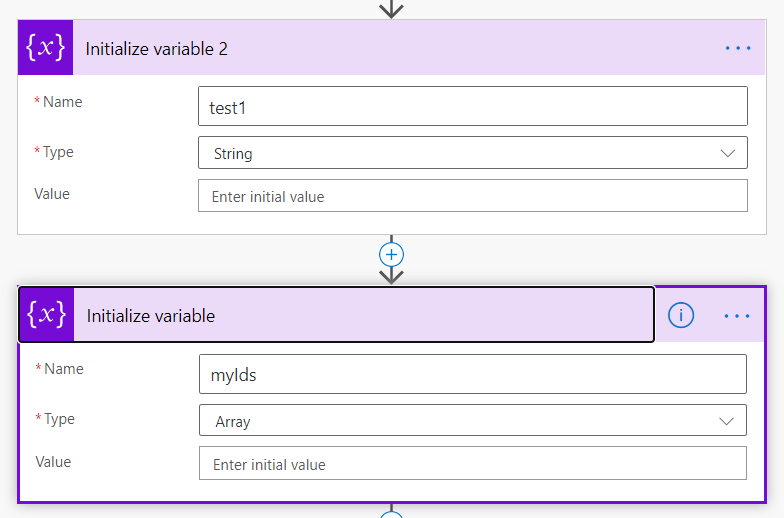
Initialize variable
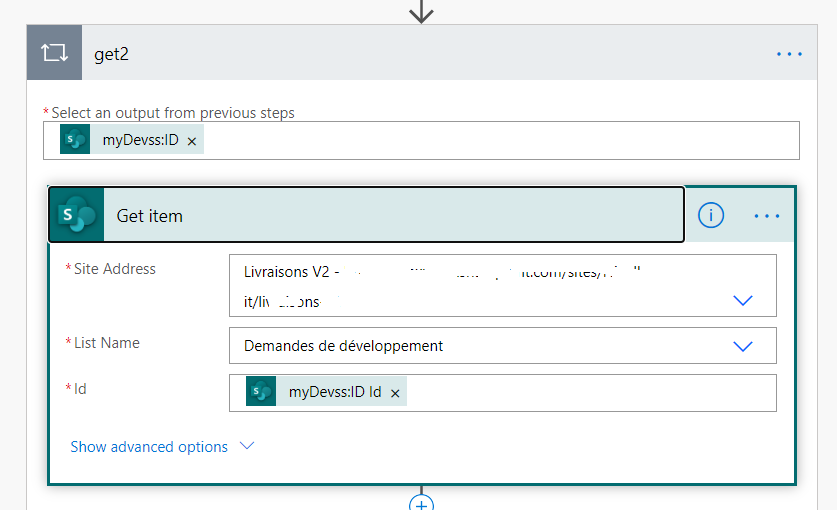
Get lookup datas
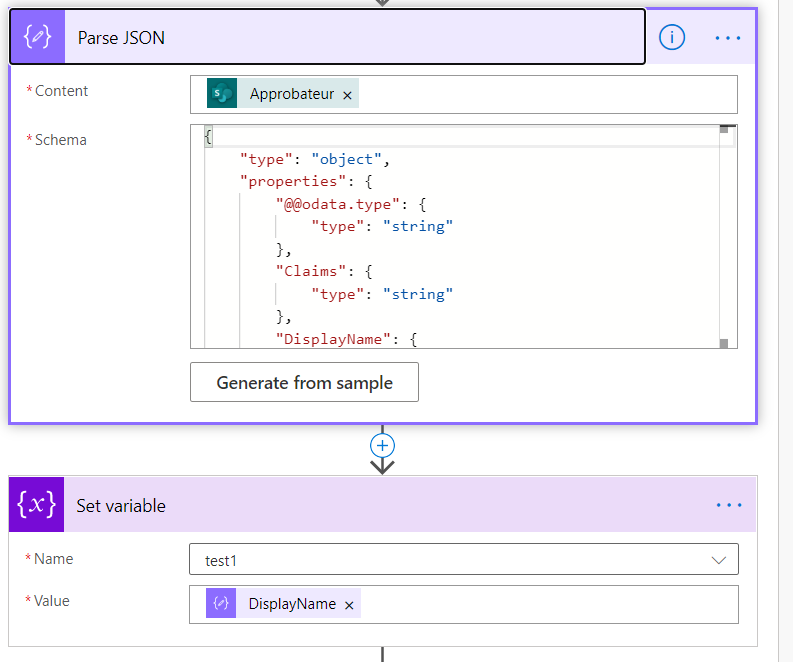
Extract approver datas
{
    "type": "object",
    "properties": {
        "@@odata.type": {
            "type": "string"
        },
        "Claims": {
            "type": "string"
        },
        "DisplayName": {
            "type": "string"
        },
        "Email": {
            "type": "string"
        }
    }
}
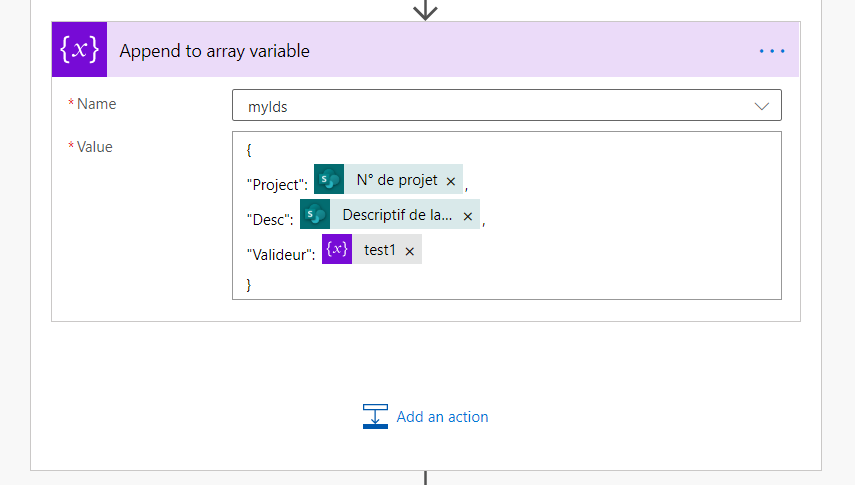
Append datas to an array
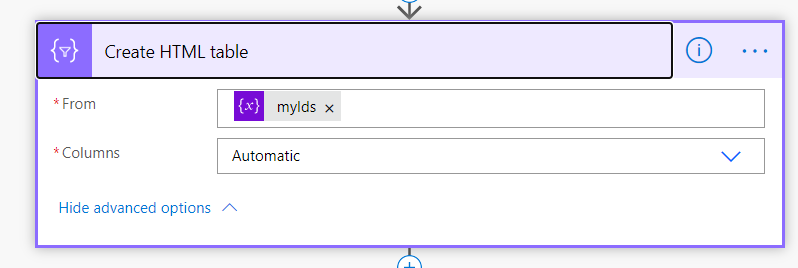
Create an html table
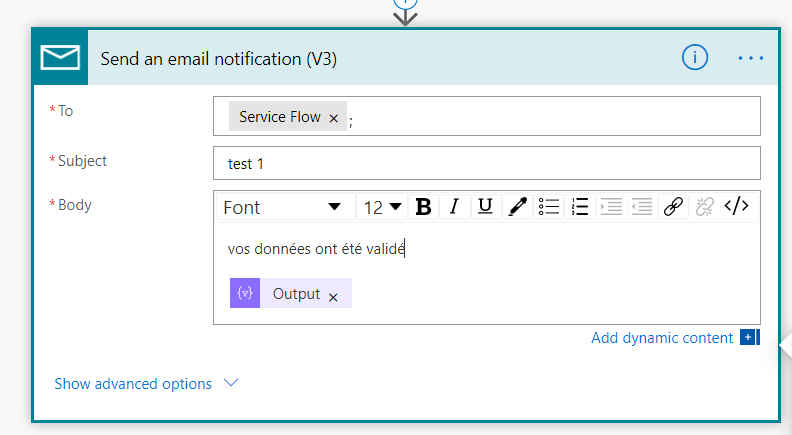
Send the mail
String Manipultions
-
-
Input Text
-
Text Out
-
Separator
-
-
-
TrimSet replacement is tabSet replacement is new line
-
-
- join / concat lines
- split
- set Default Values
- trim
- remove last char
- remove first char
- Replace separator by tab or new line
- remove last char
- Get duplicates
- stringify JSON
- html encode
- html decode
-
-
-
Url encoder
-
-
Input url
-
Output url
-
Actions
-
- EncodeUrl
- DecodeUrl
-
Sharegate Mon Plan De Migration
Les bonnes pratiques que j'ai pu identifier
- Commencer par bien analyser le site à migrer
- Controler le delta des features natives
- Faire un pre-check avant de lancer la copie
- Structure puis contenu
- Décocher le maximum d'options en cas d'échec, puis les remettre de manière incrémental
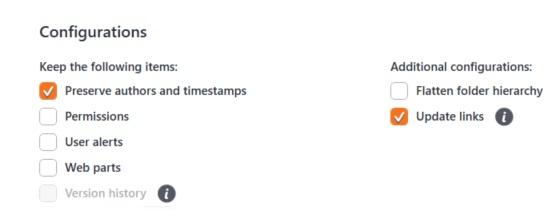
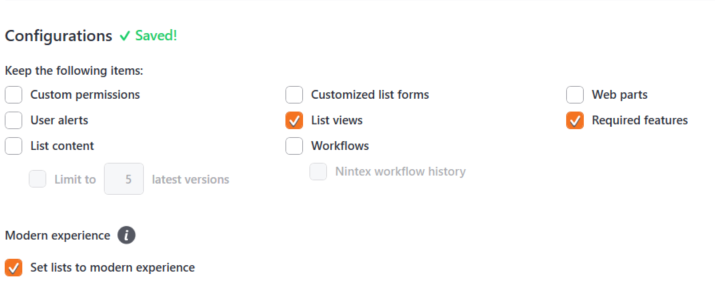
- Migrer juste la structure d'une liste, puis vérifier que les formulaires New, Edit et View soient fonctionnels
Si l'on rencontre l'erreur suivante, Custom Scripting is disabled at destination and you do not have sufficient permissions to enable it. You must be Global admin (Tenant admin) in order to enable it. Some items might not be copied.
et que vous avez coché "Required features" 
Sharegate n'arrive pas à activer des features nécessaires pour la liste (procédure pour activer des features [liste des features SP2019 complète] )
Search Cannot Crawl Start Address
Sharepoint Search The Start Address Cannot Be Crawled
even read permissions are good, search cannot crawl, i triied a lot of things found on the net, no one succeded. then i only add a new web application, and start a full crawl. the crawl succeded on each start adress, i don't know why but it works :)
PSCONFIG.exe Configuration of SharePoint Products failed. Configuration must be performed before you use SharePoint Products. A network-related or instance-specific error occurred while establishing a connection to SQL Server. The server was not found or was not accessible
An exception of type System.Data.SqlClient.SqlException was thrown. Additional exception information: A network-related or instance-specific error occurred while establishing a connection to SQL Server. The server was not found or was not accessible. Verify that the instance name is correct and that SQL Server is configured to allow remote connections. (provider: SQL Network Interfaces, error: 26 - Error Locating Server/Instance Specified)
Sharepoint Query Search By UTC Date
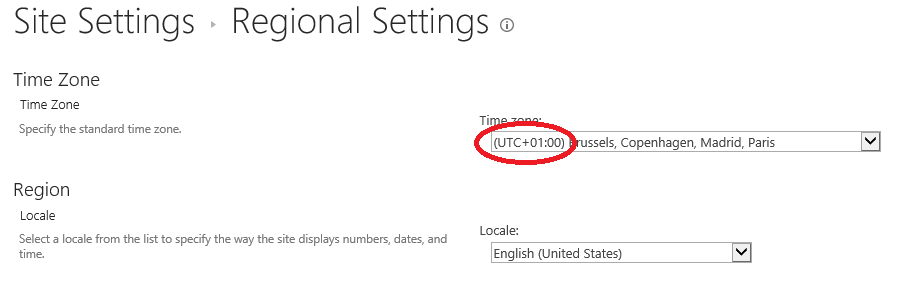
                        var aDate = new Date('2019-12-12);
                        var offset = new Date().getTimezoneOffset();
                        console.log("offset : " + offset);//in my case, offset is -60
                        console.dir(aDate);
                        aDate.setMinutes(aDate.getMinutes() + offset);
                        console.dir(aDate);
                        /_api/search/query='MnpDate:aDate.toISOString()';
                        // aDate : 2019-12-11T23:00:00.0000000Z