Search


Search Cannot Crawl Start Address
Sharepoint Search The Start Address Cannot Be Crawled
even read permissions are good, search cannot crawl, i triied a lot of things found on the net, no one succeded. then i only add a new web application, and start a full crawl. the crawl succeded on each start adress, i don't know why but it works :)
In javascript
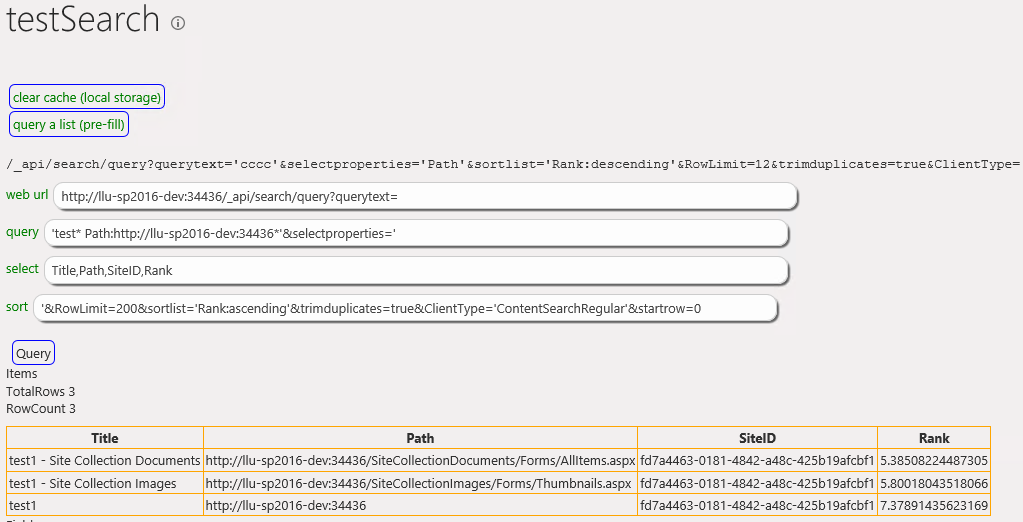
Sharepoint Query Search By UTC Date
Sharepoint query search by date (UTC date type)
When your field is DateOnly => 12/12/2019, search service will store it like : 2019-12-11T23:00:00.0000000Z
In your regionnal settings, you can see -1
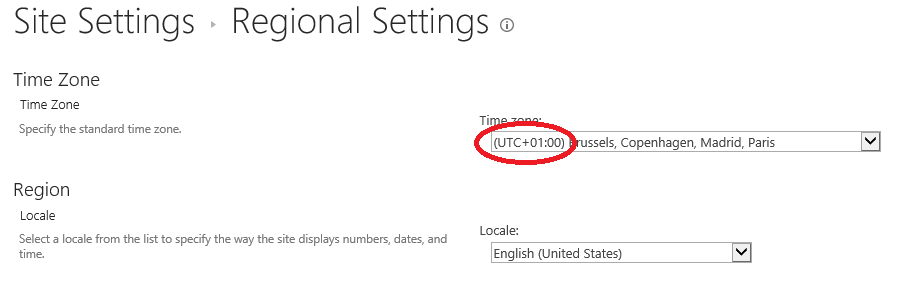 So in your query to retrieve you should substract one hour
                        var aDate = new Date('2019-12-12);
                        var offset = new Date().getTimezoneOffset();
                        console.log("offset : " + offset);//in my case, offset is -60
                        console.dir(aDate);
                        aDate.setMinutes(aDate.getMinutes() + offset);
                        console.dir(aDate);
                        /_api/search/query='MnpDate:aDate.toISOString()';
                        // aDate : 2019-12-11T23:00:00.0000000Z
Add task to reset sharepoint search index with powershell
Create a powershell script (task1.ps1) with code below
if ((Get-PSSnapin "Microsoft.SharePoint.PowerShell" -ErrorAction SilentlyContinue) -eq $null)
{
    Add-PSSnapin Microsoft.SharePoint.PowerShell -Verbose -ErrorAction:Stop
}
#the $True parameter denotes: Disable Alerts and Ignore Timeout error.
(Get-SPEnterpriseSearchServiceApplication).reset($true, $true)
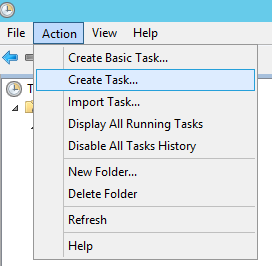
Add a new task in your task scheduler
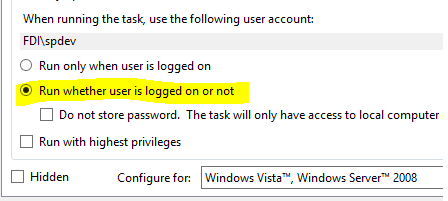
Check the radio button 'Run whether user is logged on or not
Set a name and add a trigger to set scheduling
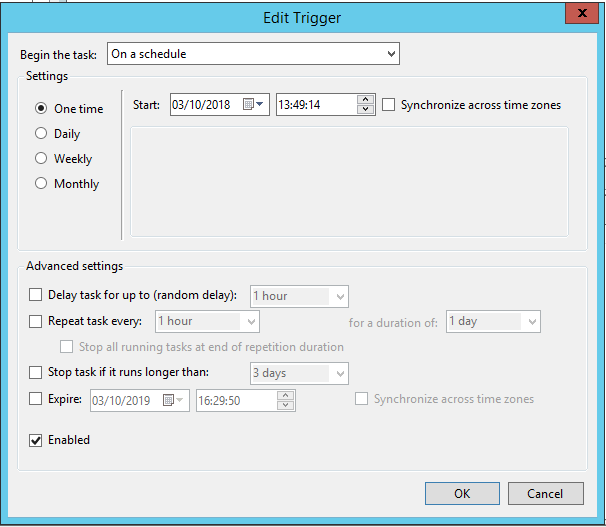
set the action : program / script
%SystemRoot%\system32\WindowsPowerShell\v1.0\powershell.exe
argument with -command followed by the pass to your powershell script
-executionpolicy unrestricted -command D:\PS1\Task1.ps1
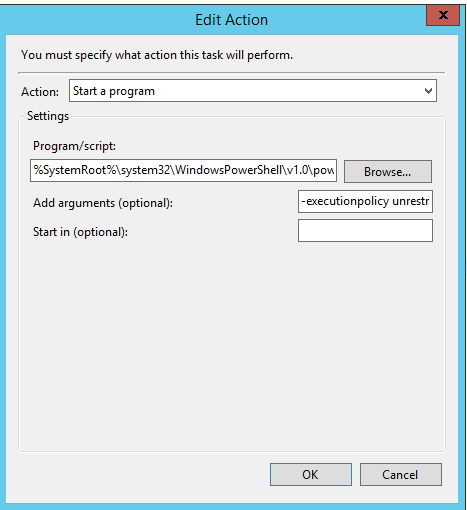
Save your task
In Powershell
Sharepoint PowerShell query search service
SharePoint PowerShell query search service
param([string]$siteCollectionUrl="http://mySiteUrl" ,
$keyword="ContentTypeId:0x010100020D149374FFC4DF792F30EFC030C9D01* ",
$rowLimit=500,
$SelectProperties="Title,SPWebUrl,Path"
)
Add-PSSnapin Microsoft.SharePoint.PowerShell -ErrorAction SilentlyContinue
$site = Get-SPSite $siteCollectionUrl
$keywordQuery = New-Object Microsoft.Office.Server.Search.Query.KeywordQuery($site);
#set request
$keywordQuery.QueryText = $keyword
#set managed properties to retreive
foreach($mnp in $SelectProperties.Split(","))
{
$keywordQuery.SelectProperties.Add($mnp.Trim());
}
$keywordQuery.RowLimit = $rowLimit
$searchExec = New-Object Microsoft.Office.Server.Search.Query.SearchExecutor
$searchResults = $searchExec.ExecuteQuery($keywordQuery)
#display results
$table = $searchResults.Table
$table | Select Title, SPWebUrl, Path
$site.Dispose()